
Sprunki normal and horror mode run the same drag-and-drop mixing loop. What changes is presentation: the cast art, the sound palette and how dark the screen feels. Normal play never blocks a horror build, and a horror build is not a harder game in the mechanical sense. Choose normal for a clean, bright mix, choose horror when you want the same loop to sound tense, and judge both on one short task instead of a screenshot.
On this page
Run the same three sounds in both modes
Open one normal build and one horror build. Use the same device, volume and order. Record what you hear, not what you expected to hear.
The short answer
If you are new to the loop, start in normal mode for ten minutes and learn where sounds land. Then open Sprunki Horror and repeat the same three sounds. You will hear the difference in seconds, and you will stop guessing from thumbnails. Horror is a coat of paint plus a different sound library; the rules of building a mix stay put.
What actually changes between the two
Three layers separate the modes in every build we checked on this site.
Art. Normal mode keeps faces intact, silhouettes round and colours saturated. Horror mode stretches faces, removes or multiplies features, and drops the background to near-black. The cast is usually the same characters, transformed. The character transformation guide walks through the individual pairs.
Audio. Normal loops are bright and forgiving. Horror loops lean on low drones, detuned notes and sharper transients. A layer that sounds cheerful alone can sound like a warning in horror mode, which is exactly why the same arrangement can feel like a different game.
Density. Horror mixes turn muddy faster. Eight cheerful layers still read as a party; eight dark layers can collapse into noise. Remove one layer rather than adding one when a horror mix stops sounding clean.
A side-by-side table you can check
| What you compare | Normal mode | Horror mode |
|---|---|---|
| Screen tone | Bright backgrounds, saturated colours | Dark backgrounds, muted or bruised colours |
| Character art | Intact faces, round shapes | Stretched faces, extra eyes or teeth in many builds |
| Sound palette | Clean loops, brighter percussion | Low drones, detuned notes, sharp transients |
| Mixing controls | Drag a character into a slot | Same gesture in most builds |
| Friction for a first mix | Low; a messy mix still sounds cheerful | Higher; dense layers lose clarity sooner |
| Best for | Learning the loop, quick bright mixes | Tension, Halloween themes, video soundtracks |
The character pairs make it obvious
Character art is the fastest way to see what a horror build is doing. Put the two versions next to each other and the design decision is visible before you play a note.
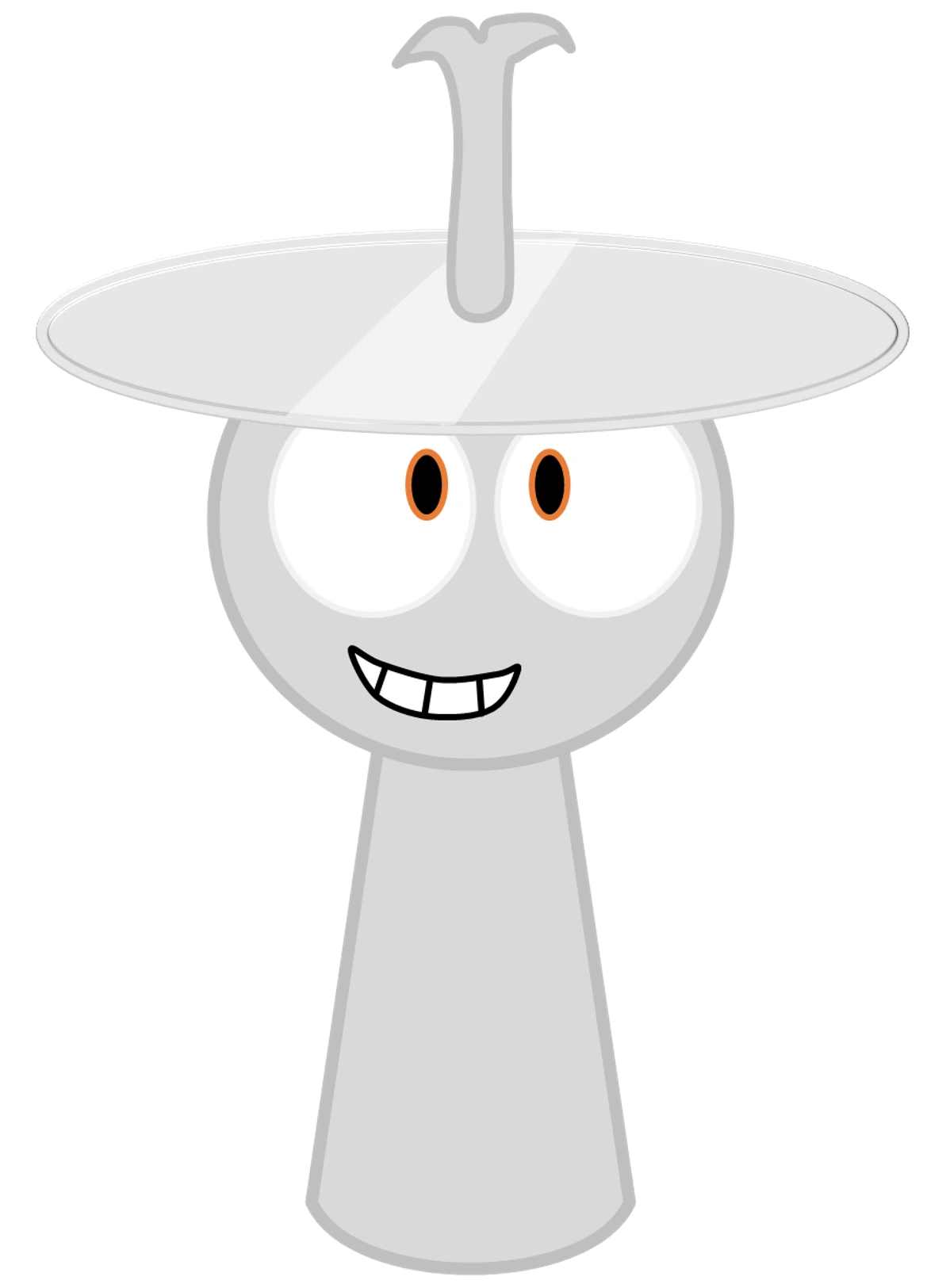
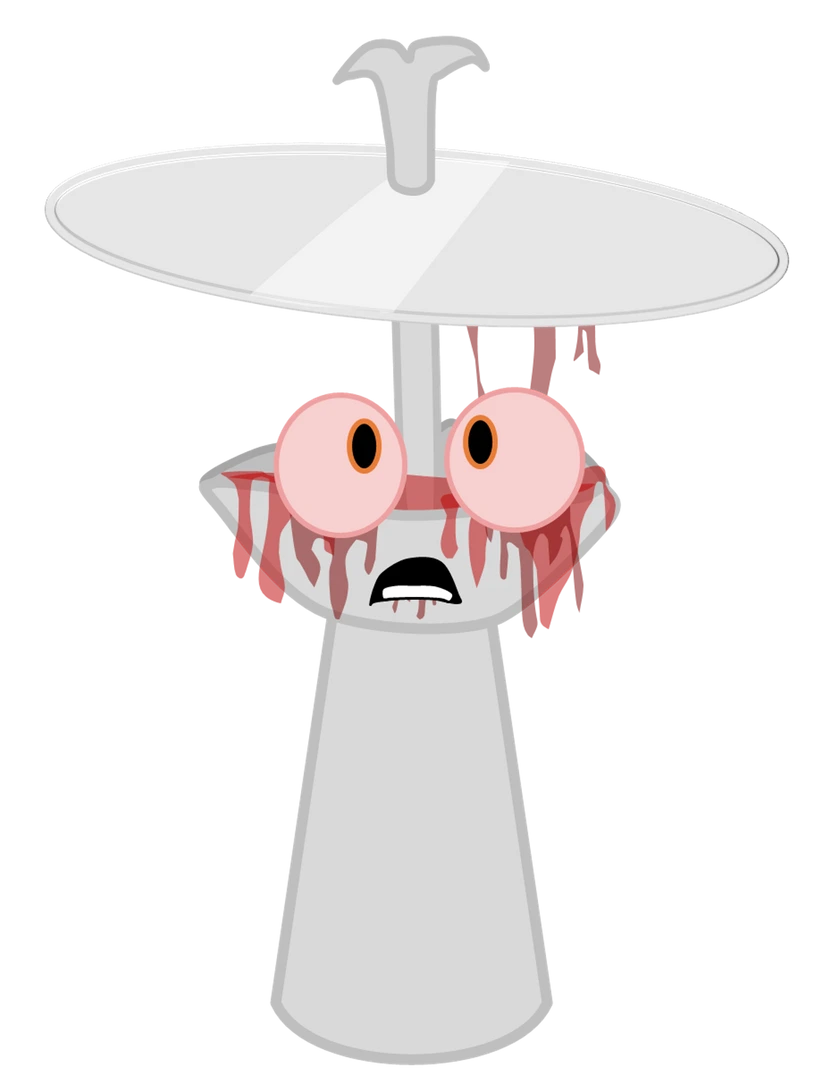
The silhouette stays recognisable, so a player who knows normal mode still reads the horror cast as the same band. That is the point: horror mode is a re-skin of characters you already know, not a new roster.
Run the ten-minute test
Pick one normal build and one horror build. Use the same device, the same volume and the same three sounds in the same order. Write down what you hear before you decide which is better. A comparison built this way survives a second listen; a comparison built from a thumbnail does not.
What does not change
The slot-based loop, the drag gesture and the idea of layering characters into a track are shared across both modes. You do not need to relearn the interface, and a horror build will not teach you a new control scheme. If a page advertises something dramatically different, check the build itself before repeating the claim.
Three claims worth checking before you repeat them
“Horror mode is a different game.” Usually not. It is the same fan engine with different assets and audio. The horror mode guide separates the presentation layer from the mechanics for this reason.
“Horror mode unlocks a secret ending.” We have not verified an ending in any build on this site, so we do not repeat that claim. If a video shows one, note the exact build and the steps before treating it as a fact.
“A higher phase number is scarier.” Not consistently. Phase 3 and Phase 4 both carry Halloween labelling, and Phase 7 and Phase 8 lean horror while later numbered builds can be bright again. Phase numbers are labels, not a difficulty dial — the phase naming guide explains why.
Which one should you play first?
Play normal first if you want to learn the loop without the screen working against you. Play horror first if you already know the loop and you want a mix you would actually put under a video. If you are choosing for a child or a shared screen, normal mode is the safer default; the parent-facing post covers the content question directly.
For a wider set of choices, the games hub lists playable builds by name, and the horror hub collects the darker ones in one place. If you want a single recommendation, open Sprunki Phase 9 for a bright build and Phase 9 Horror Mod for its darker sibling, then run the same test.
Where to go next
Compare a specific remake pair in the remastered vs original test, try the Gray horror-mode journey for a character-level walkthrough, or print the cast with the horror colouring pages. Each of those pages uses the same rule: describe what you can see and hear, and mark everything else as unknown.
Discuss Sprunki
Which game did you play, and how did your mix turn out? Tell us below.
Loading comments…